Skip to content

CRM for fitness clubs and studios

Run your club, not spreadsheets

Memberships, check-in, class booking, sales, finance and payroll in one place, for every branch of your gym or studio.

30 days free · No card required

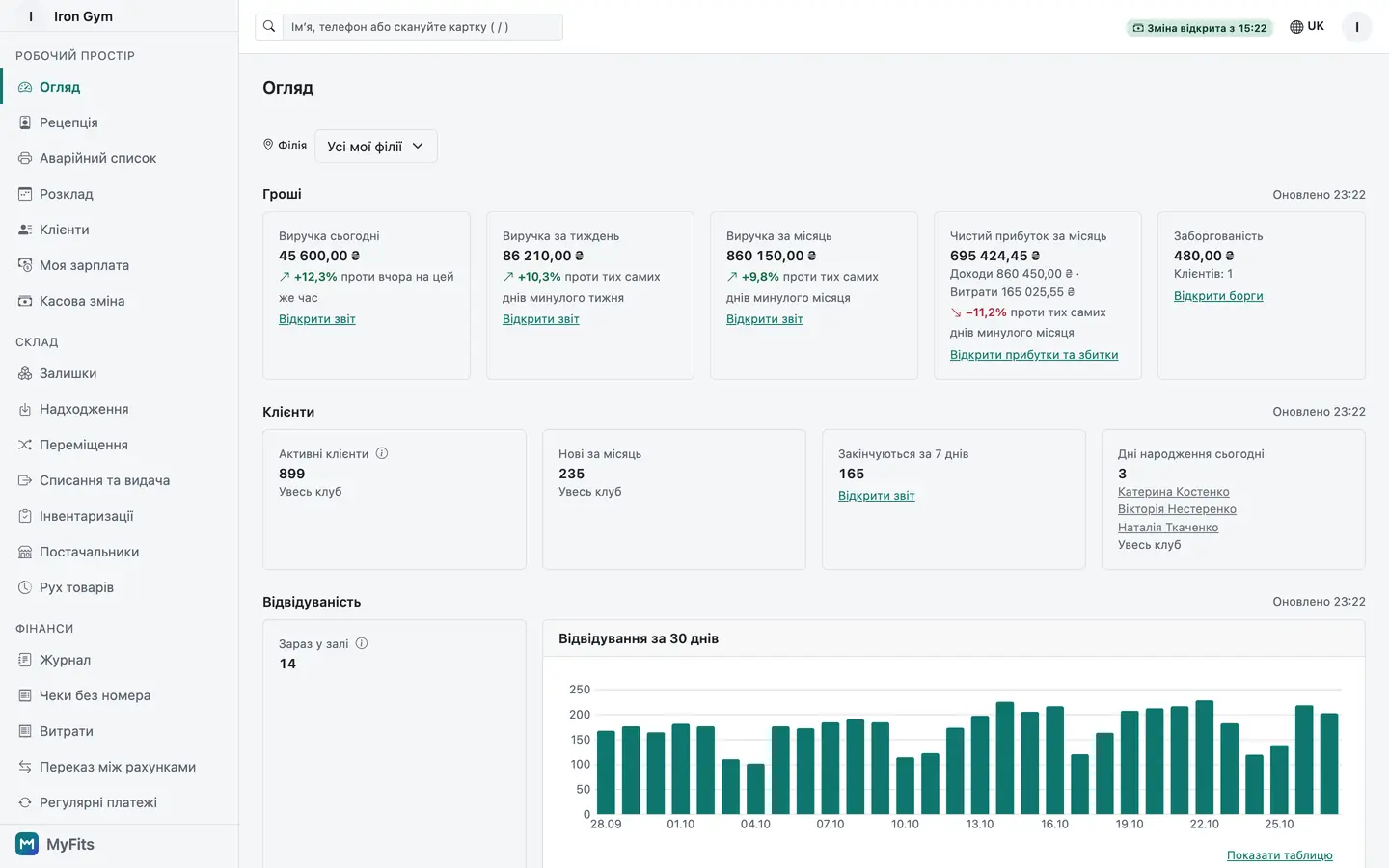
Dashboard: money, clients and attendance KPIs with a revenue chart
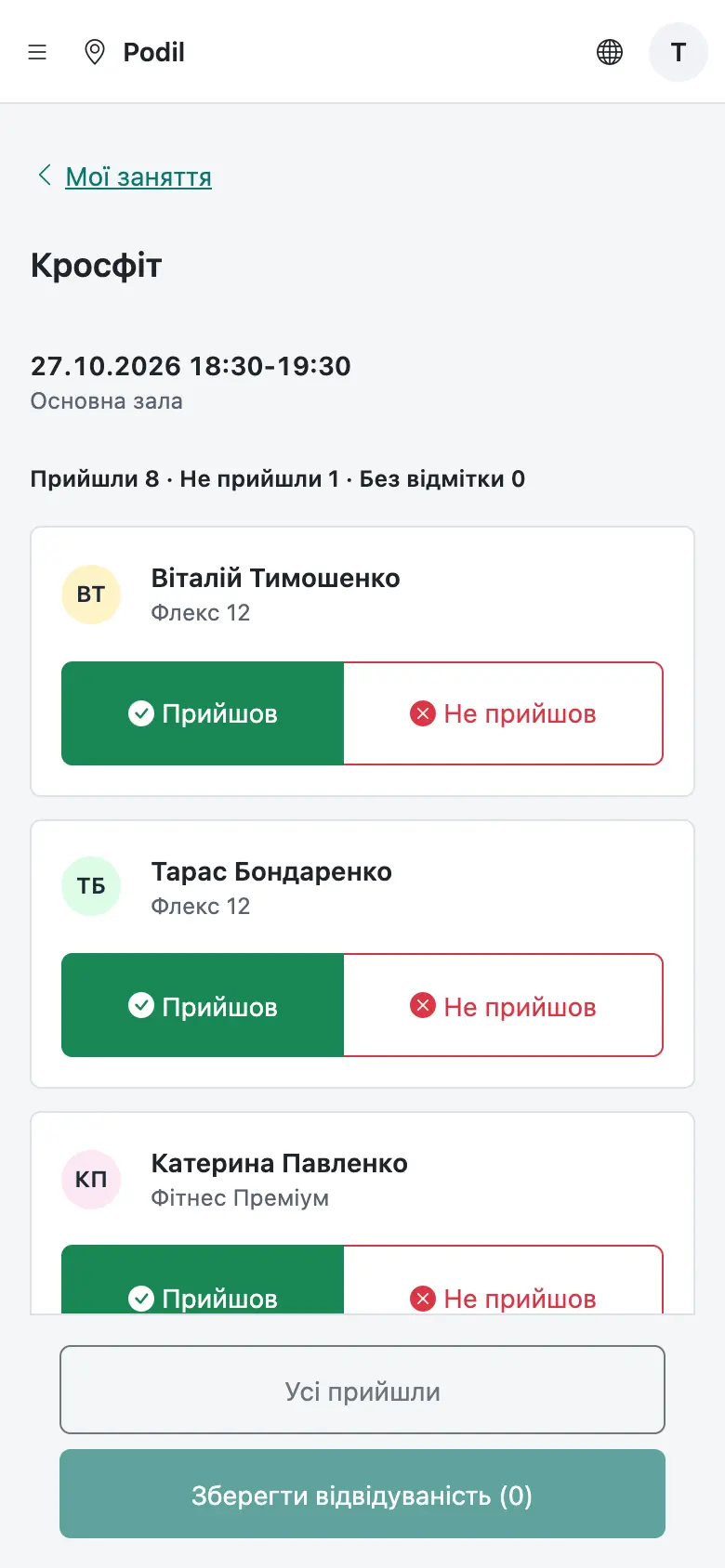
Trainer's My sessions screen: today's classes with the participant list and attendance marks

Why clubs choose MyFits

  • Ukrainian, Polish, English, Russian
  • Data stored in the EU
  • Many branches, one account
  • Works on phone and desktop

Features

Everything the front desk and the owner need

Built around how a club works, from the front door to payroll.

Reception and check-in

The front desk finds a client and lets them in within seconds.

  • Find a client by phone, name, card or scan in seconds
  • Allow or deny with a clear reason; a repeat scan never spends a second visit
  • Quick sale, today's bookings and aggregator cards (MultiSport, Medicover Sport) on one screen
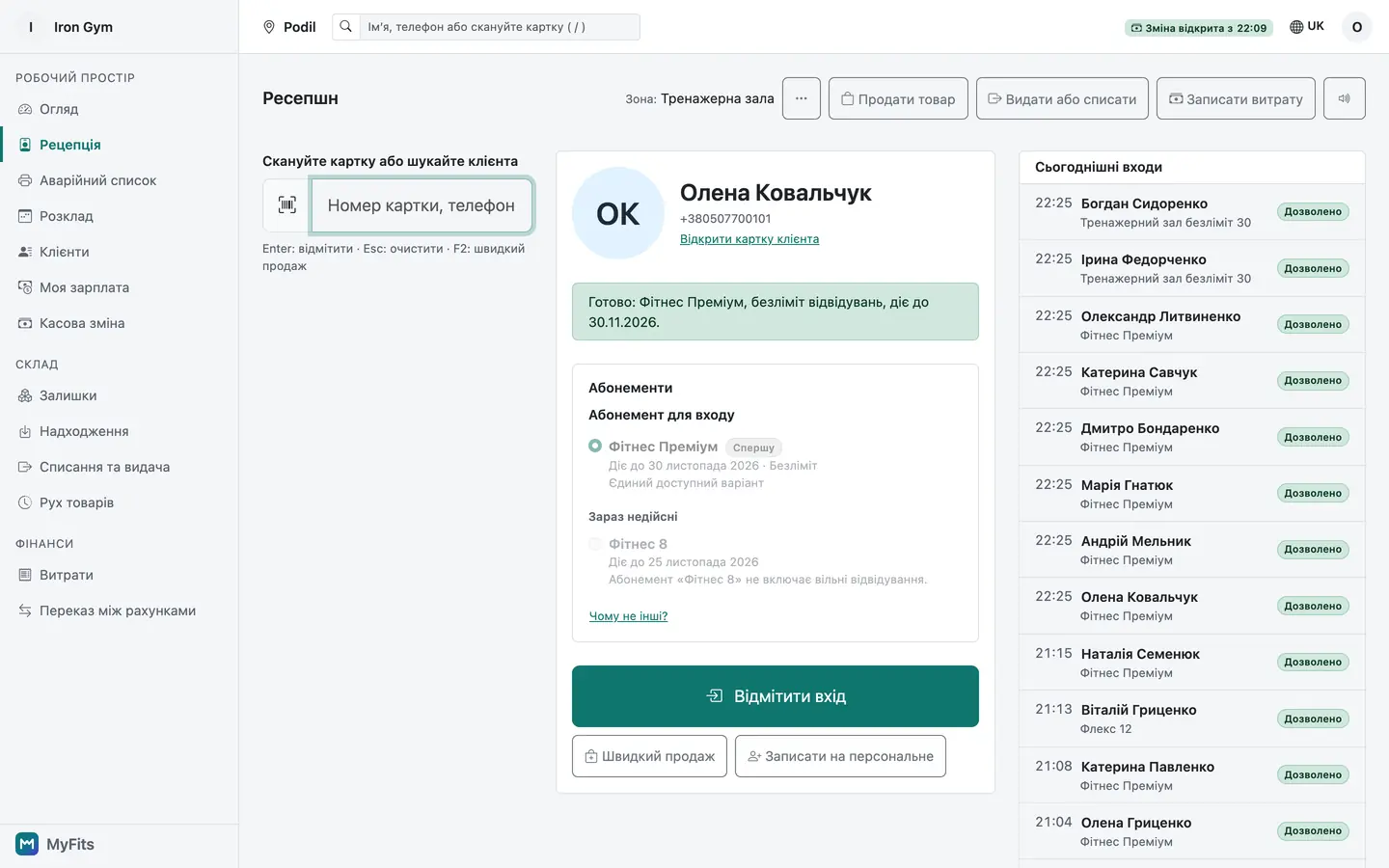
Reception screen: client found, entry allowed

Memberships that count correctly

Set up any kind of membership and let the system track balances and dates.

  • Visit packs, time passes, class credits and personal training in one plan builder
  • Freezes, renewals and transfers with a full history
  • Two receptionists at once can't double-spend a credit
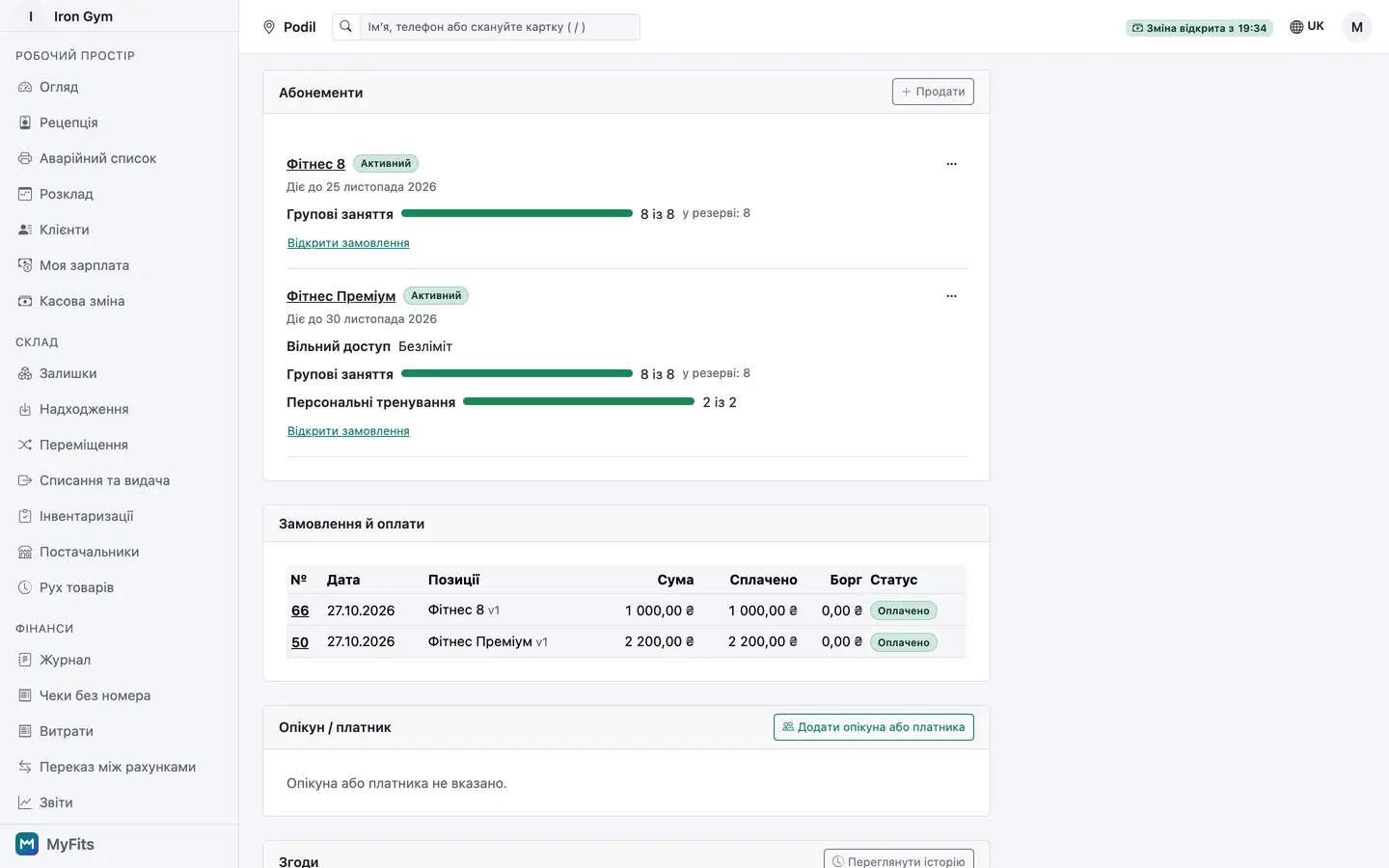
Client card: an active membership with remaining credits and a past freeze in the history

Schedule and online booking

Build the timetable once and let clients book themselves.

  • Recurring classes keep their local time across daylight saving
  • Capacity is never oversold; trainers and rooms can't be double-booked
  • Clients book from your public schedule page via an email link
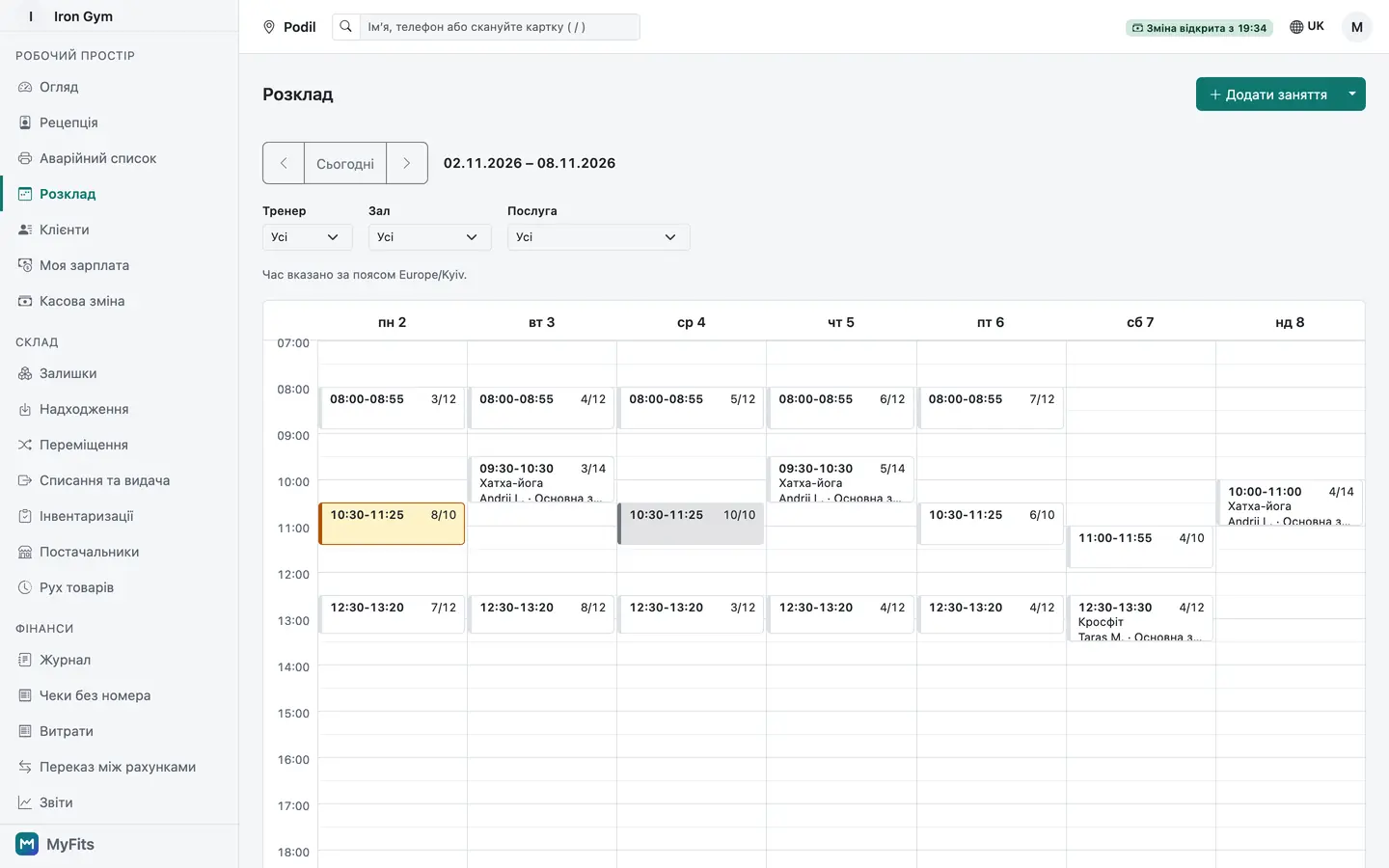
Weekly schedule with recurring classes, one class full
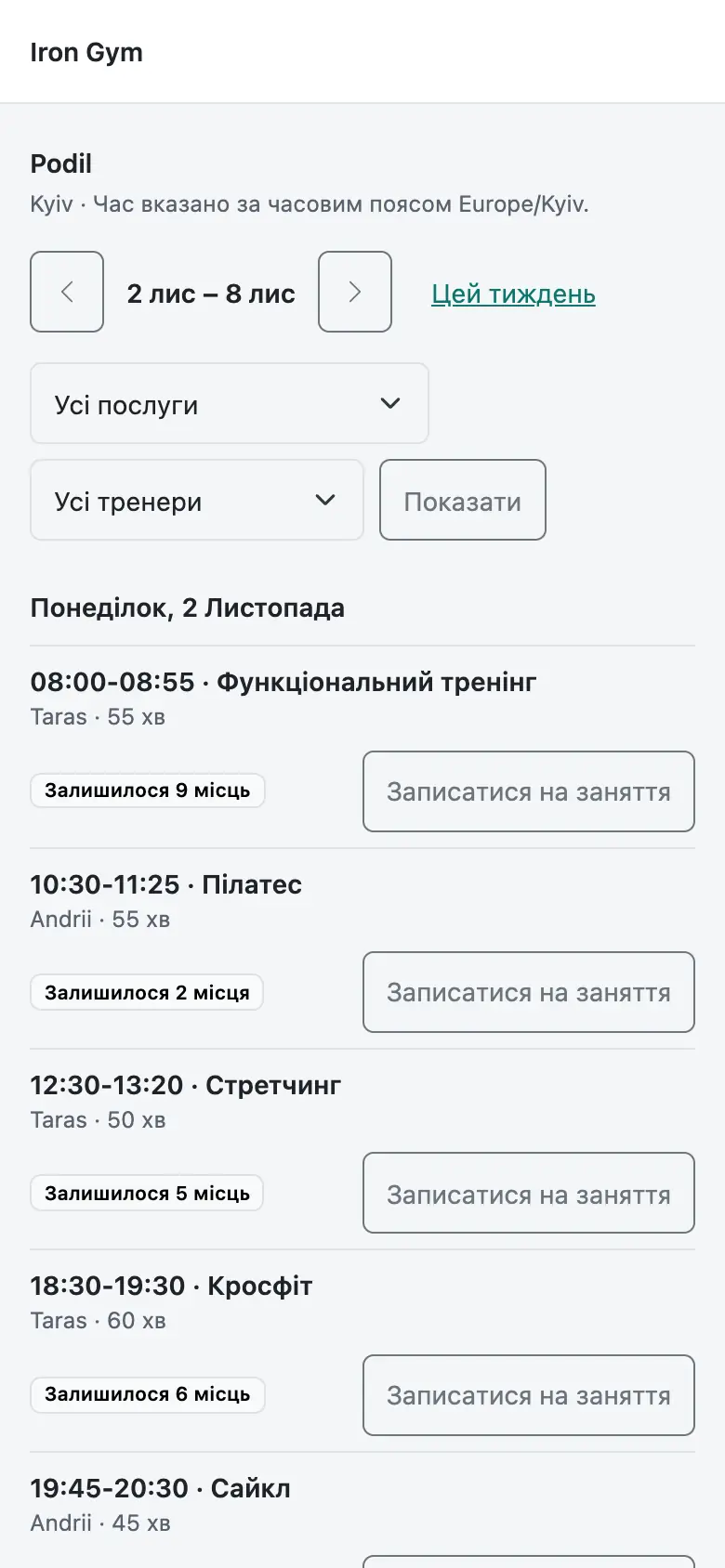
The club's public schedule on a phone with free-spot counts

Sales, products and stock

The cash desk, bar and shop work alongside memberships.

  • Cash, terminal and transfer payments, debts and refunds, cash shifts
  • Bar and shop products with stock per branch and stocktakes
  • Consumables issued for the club's needs at cost
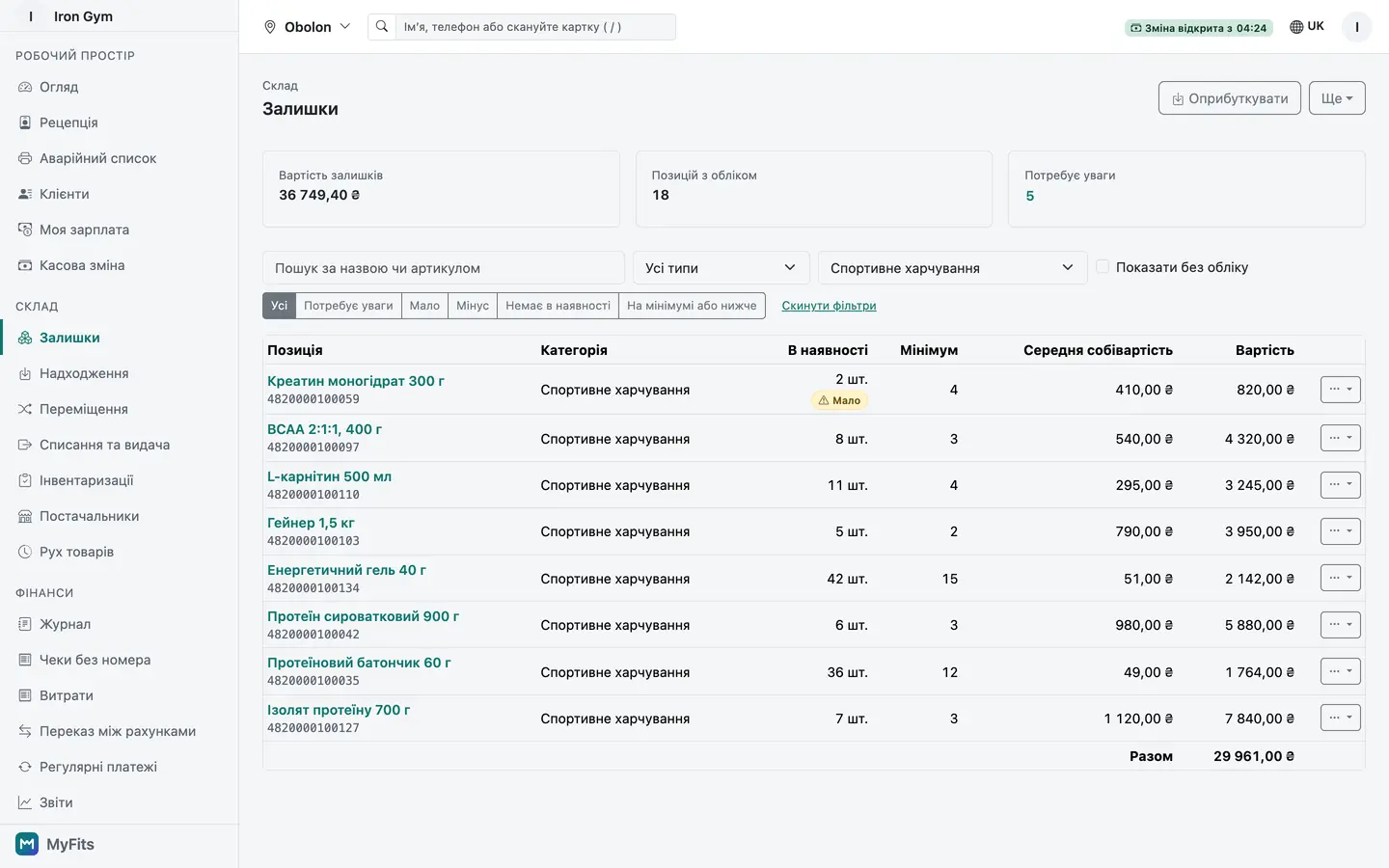
Product stock levels with a low-stock flag

Dashboard and reports

See the club's key numbers at a glance, without manual counting.

  • Money, clients and attendance KPIs against the previous period
  • Revenue, attendance, memberships, trainer load and cash-shift reports with charts
  • CSV export of reports and a full export of your club's data
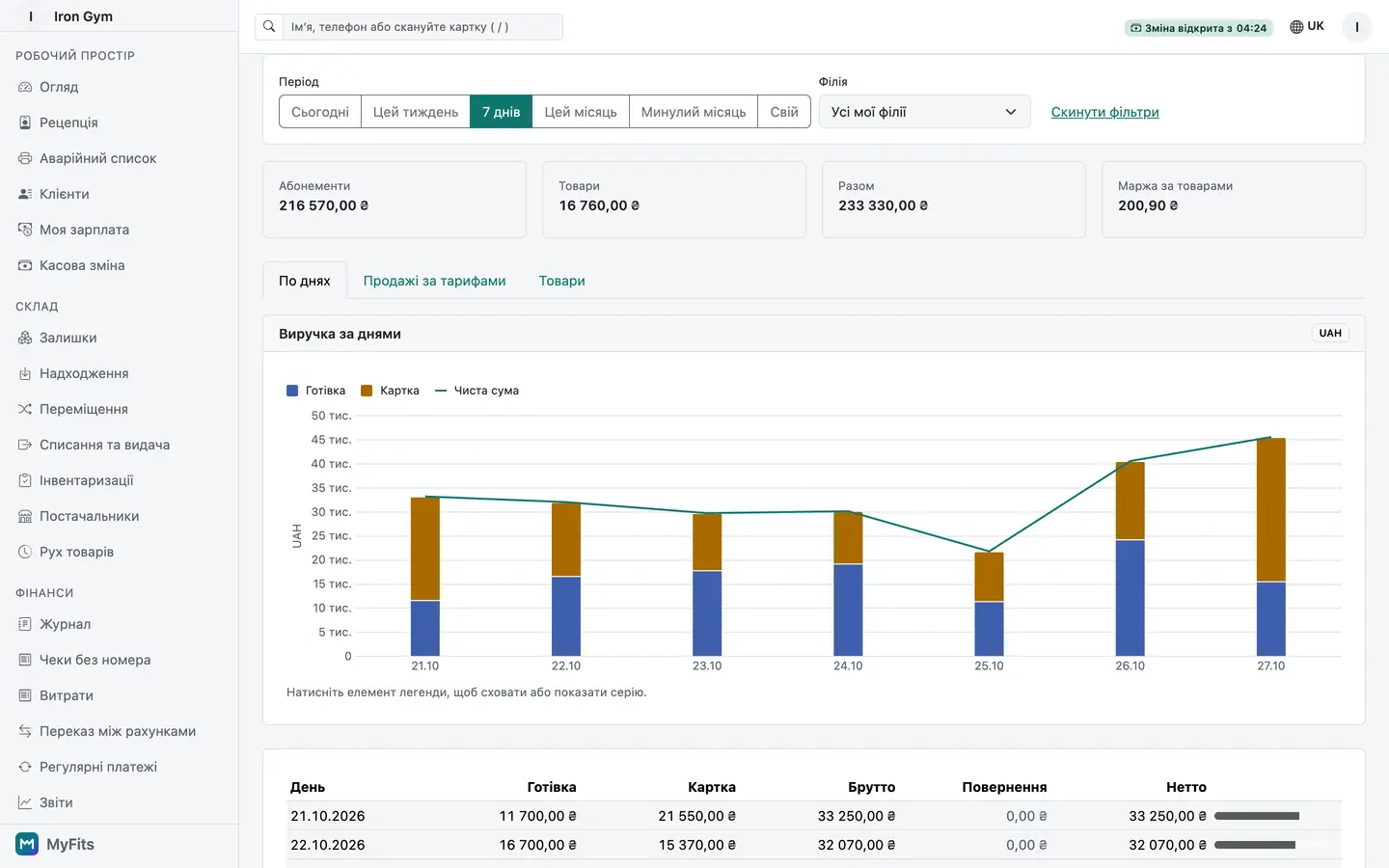
Revenue report for the last 30 days: chart above the table

Finance

Income and expenses of every branch in order and ready for your accountant.

  • Cash, bank and terminal accounts with income and expense categories
  • Expenses with receipt photos and recurring bills
  • P&L and cash flow per branch; export for BAS/1C, Fakturownia and Symfonia
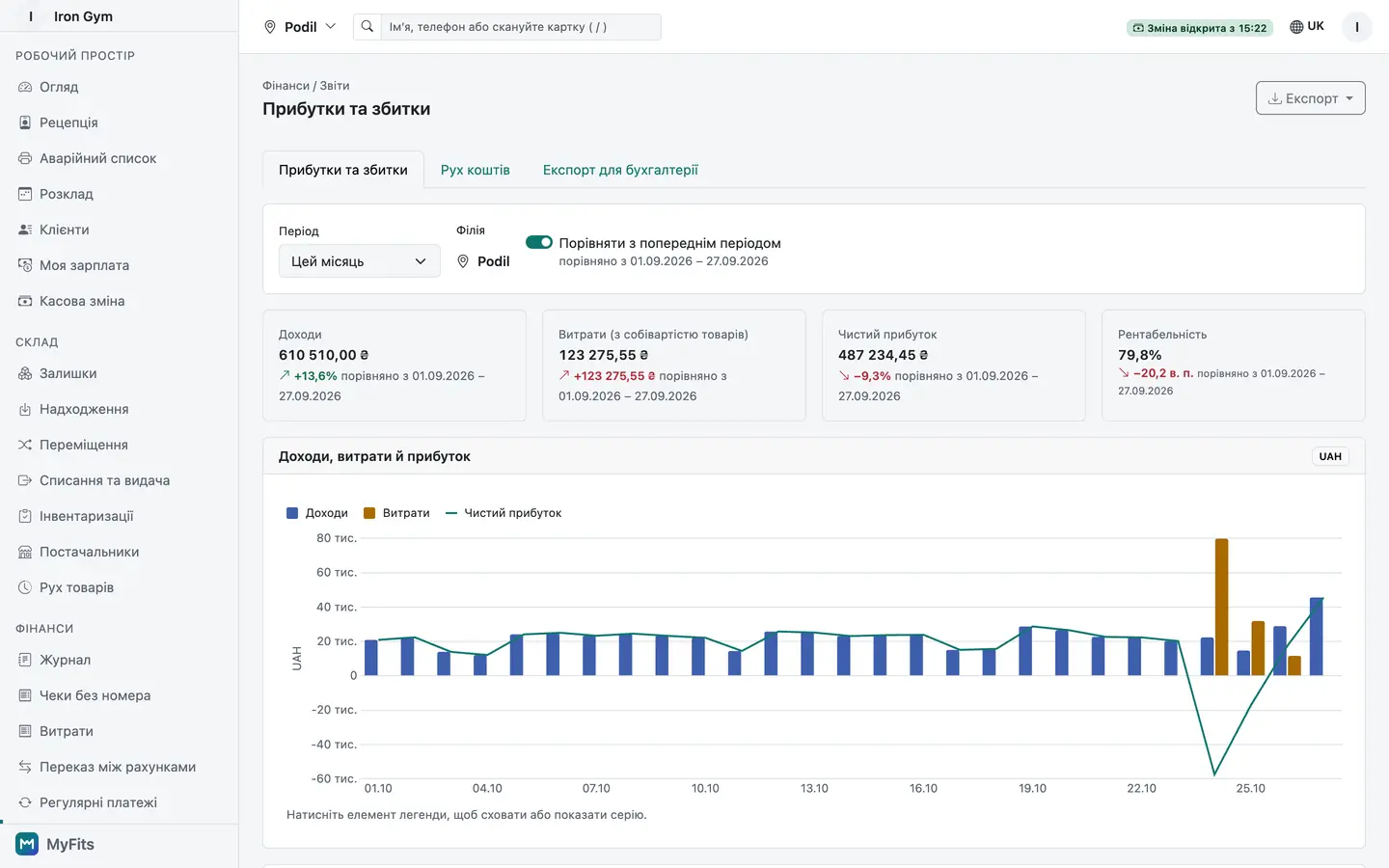
Profit and loss statement for the current month with a chart

Payroll and personal training

Trainer pay is calculated from the sessions they run, not from spreadsheets.

  • Fixed salary, % of PT price, per-class rates and hourly pay, combined per person
  • Trainers mark attendance on their phone; pay accrues automatically
  • Trainers see only their own earnings
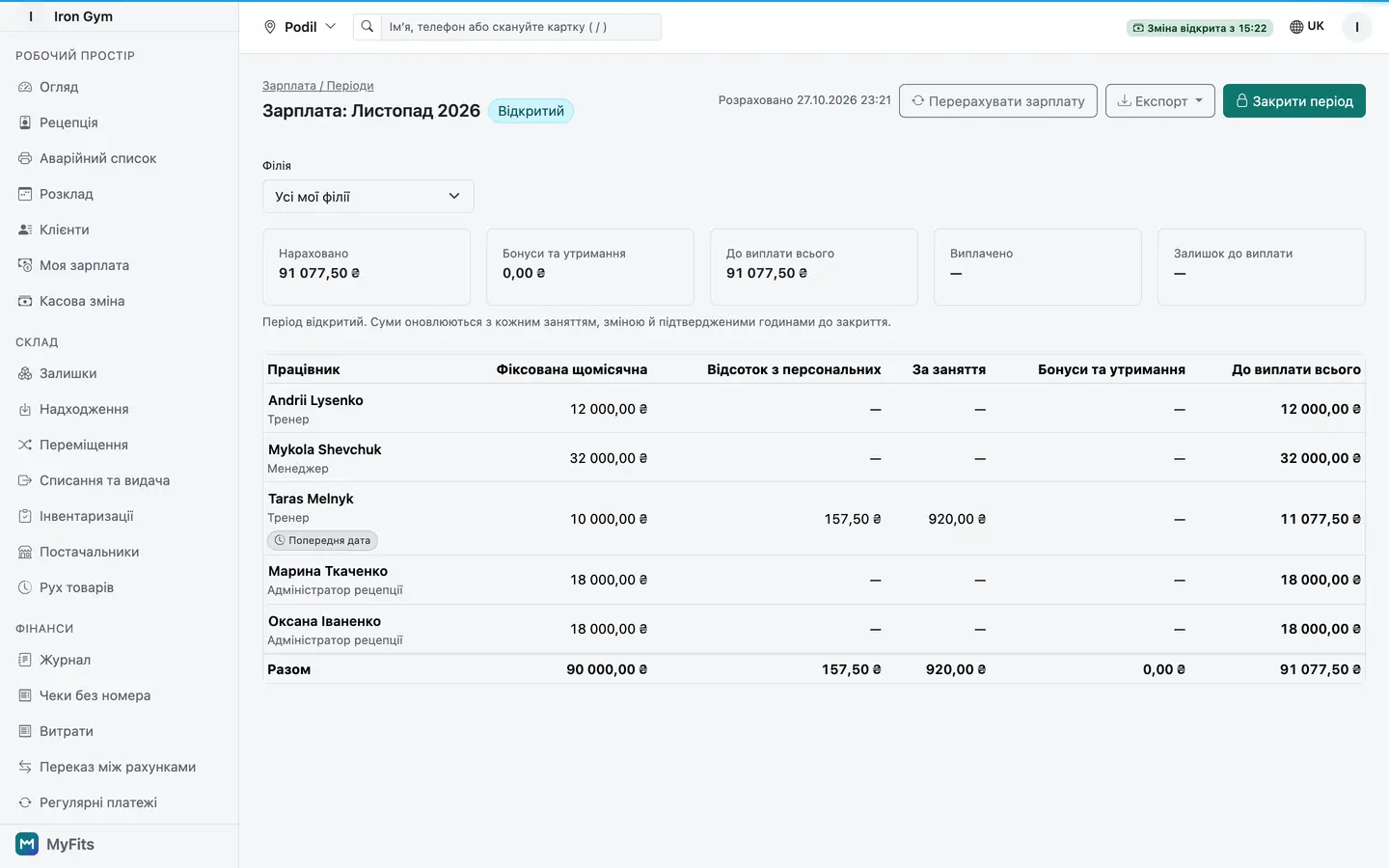
Payroll period: accruals per staff member with one trainer's breakdown open
Trainer's My sessions screen: today's classes with the participant list and attendance marks

Roles, branches and security

Every staff member sees only what their job needs.

  • Owner, manager, receptionist, trainer and accountant roles, scoped per branch
  • Two-factor sign-in for owners, passkeys for staff
  • Audit log for overrides, refunds, price and permission changes
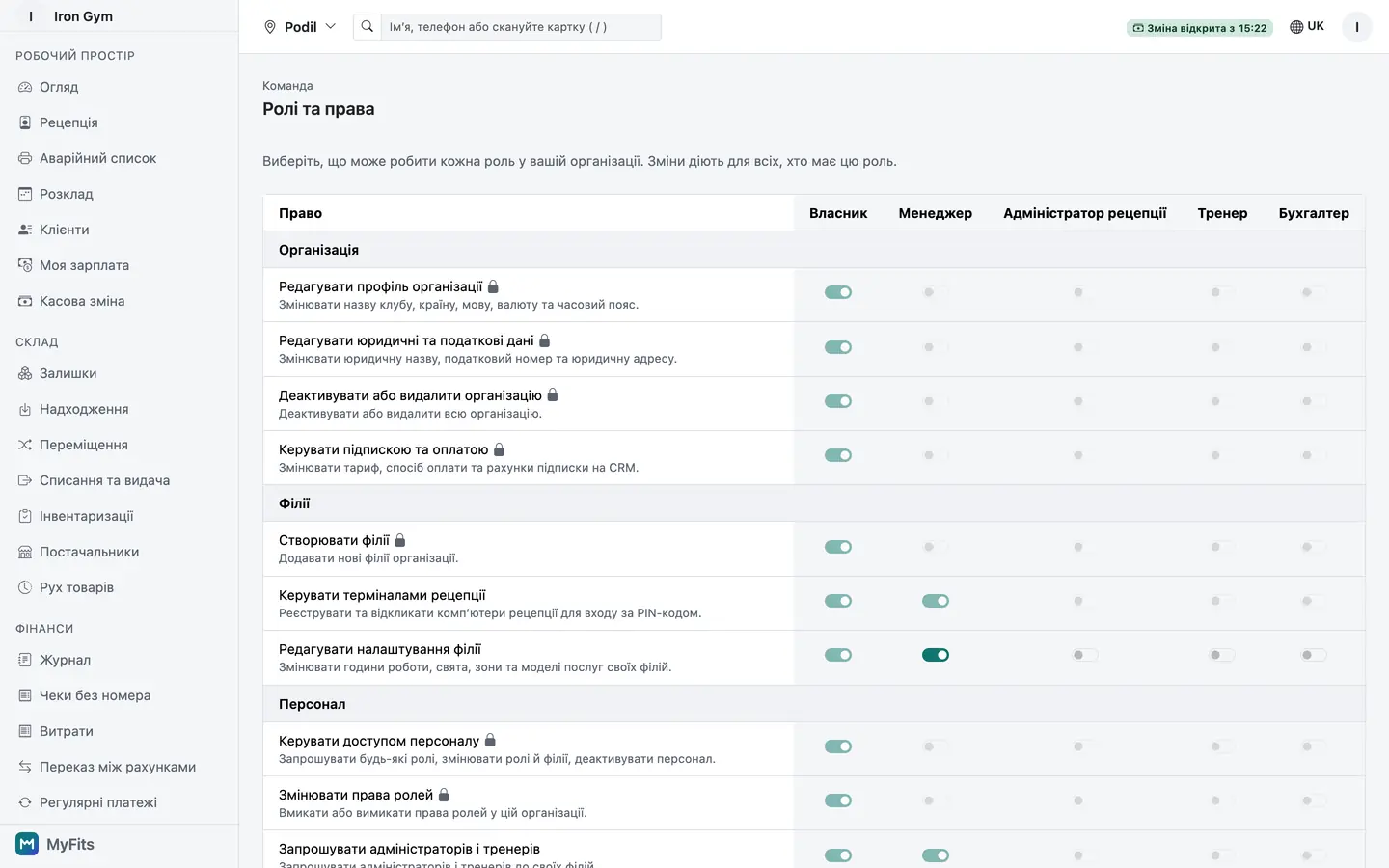
Staff roles with the permission matrix

Made for your kind of club

Gyms

Visit and time passes, fast check-in at the door.

Studios

Classes with capacity, booking and credits.

Hybrid clubs

Gym floor, classes and personal training, set up per branch.

Pricing

Simple plans that grow with your club

Every plan starts with a 30-day free trial.

Pricing is not available yet

Contact us to get started.

Contact us

FAQ

Questions clubs ask

How does the free trial work?

You use MyFits for 30 days within the trial limits, with no card required. Choose a plan before the trial ends to keep going.

Can I move my clients from another system or a spreadsheet?

Yes. Upload a CSV or XLSX file: you map the columns, duplicates are found by phone and email, and you get an error report. Active memberships with their remaining balances can be moved too.

How do I pay for MyFits?

By card through Paddle or by bank-transfer invoice. Prices exclude VAT where it applies.

Which languages and currencies are supported?

The interface is available in Ukrainian, Polish, English and Russian. Each club sets its own currency and time zone.

Is our data safe, and can we export it?

Data is stored in the EU, and each club's data is isolated from every other club. Owners sign in with two-factor authentication, sensitive actions go to an audit log, and you can export reports and all of your club's data to CSV.

Can we cancel at any time?

Yes, from the Billing page. There is no long-term contract.

What devices do we need?

Any modern browser on a computer, tablet or phone; there is nothing to install. USB and Bluetooth barcode and QR scanners work at reception.

Do you support several branches?

Yes. Each branch has its own schedule, cash desk and stock, and staff get access only to their branches.

Try MyFits with your own club

Create your club, add your plans and sell the first membership today.


Language

Theme